How Computers Really Work: Explained for Everyone
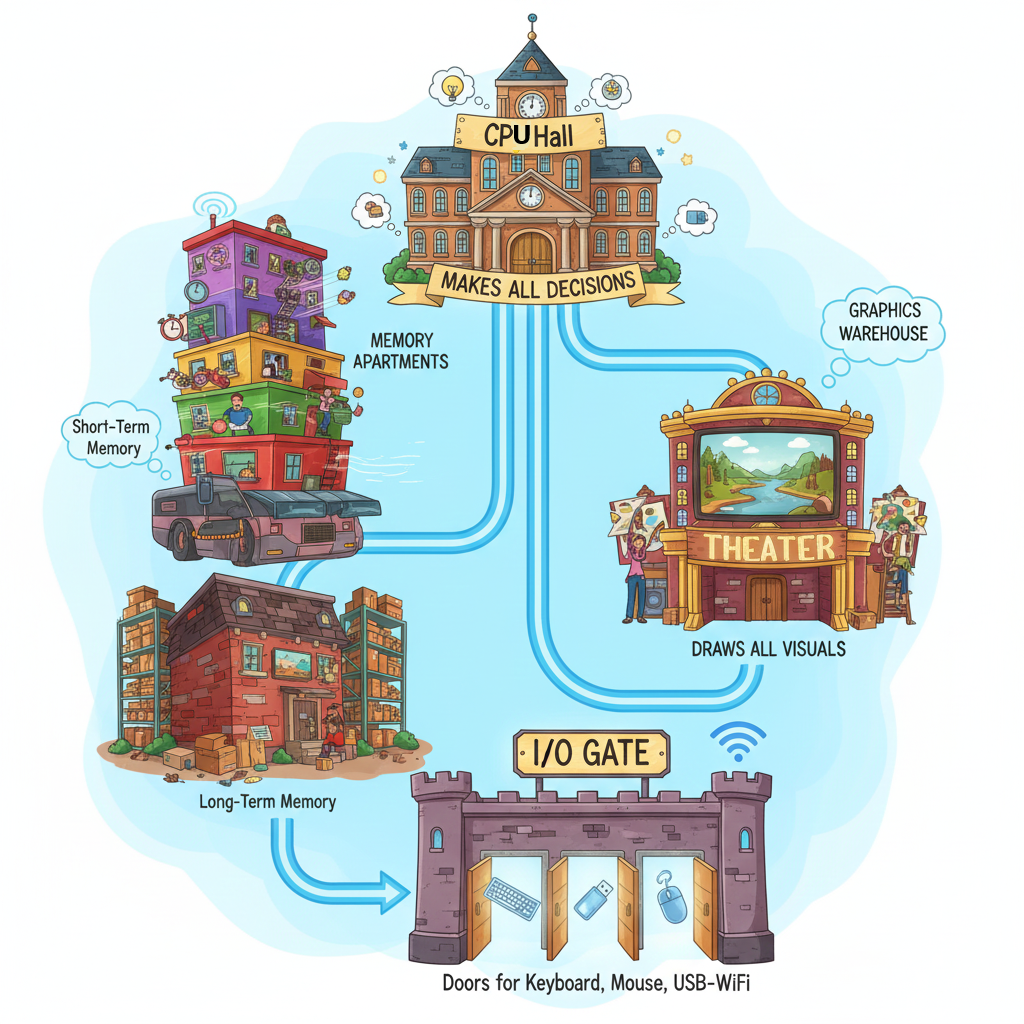
Imagine your computer as a tiny city inside a box. Every time you click an icon, type a word, or open a game, millions of miniature workers spring into action — fast, organized, and incredibly literal-minded. They only know two things: yes and no. Or in computer-speak: 1 and 0.
This isn't a dry technical manual. This is a tour — a cartoon-style walkthrough of the computer world, where every part has a personality and a job.
Meet the CPU — The Mayor Who Makes All the Decisions
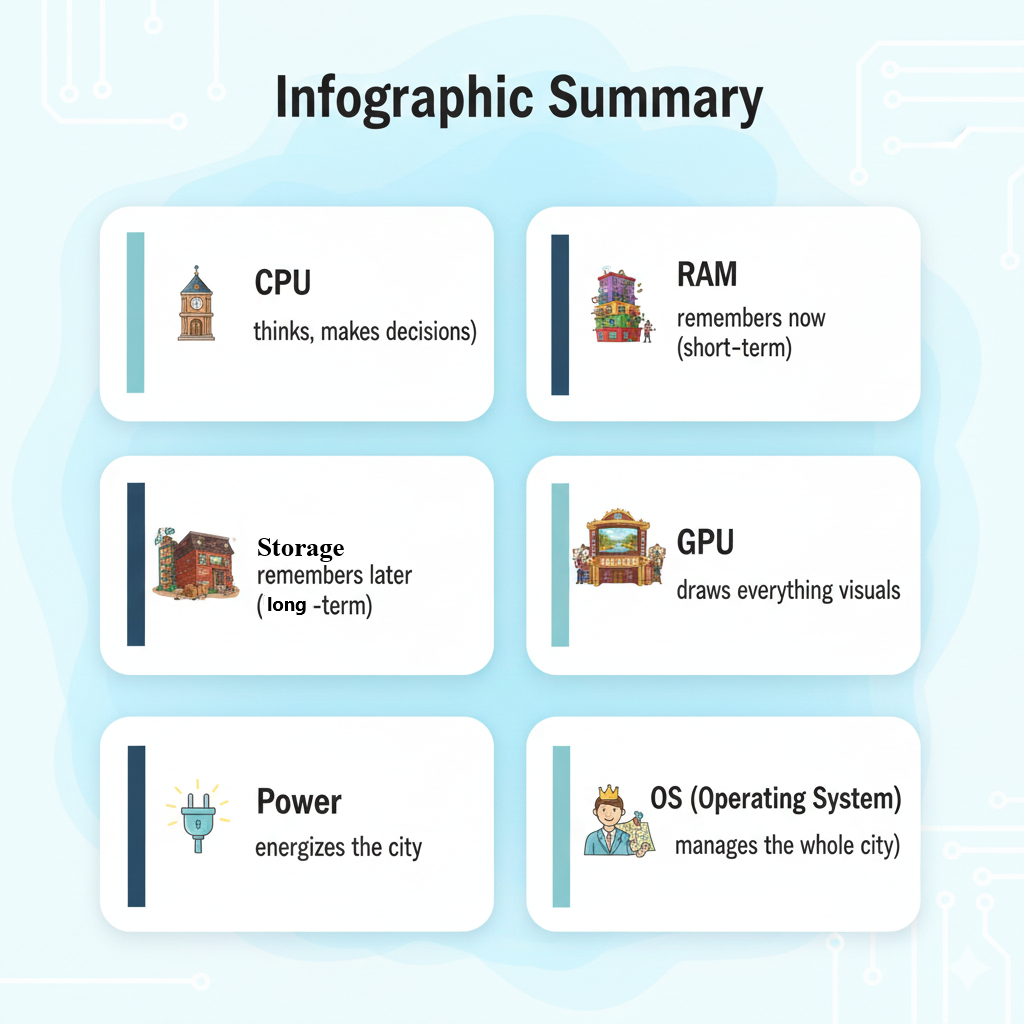
The CPU (Central Processing Unit) is the hardworking mayor of Computer City. It doesn't take breaks. It doesn't drink coffee. It just follows instructions at dizzying speeds — billions per second.
If you imagine opening an app as asking the mayor for help, the CPU reads the request, breaks it into smaller tasks, and assigns those tasks to its internal "workers," known as cores. More cores = more workers = more work done at once.
Cartoon idea: A tiny mayor at a desk, stamping documents at ridiculous speed while multiple assistants run around delivering papers.
RAM — The Computer's Short-Term Memory
Next, you meet RAM — the city library that only stores things your computer is actively using. It's fast, bright, and spacious. But it's forgetful. The moment the power turns off, it wipes everything like a dry-erase board.
When you open Chrome, Word, Spotify, and a game at the same time, RAM is juggling all of them like a circus performer. The more RAM you have, the more juggling space your computer gets.
Infographic idea: RAM holding multiple books labelled "Browser Tabs," "Game," "Email," "Photos," while sweating adorably.
Storage — The Long-Term Memory Archive
Storage (your SSD or HDD) is a giant warehouse where your computer keeps everything until you delete it. Photos, games, documents, apps — this is where they live when they're not in use.
- SSD — fast warehouse with automatic robot forklifts
- HDD — older warehouse with spinning shelves and slower robots
Cartoon idea: Robots loading boxes labelled "Photos," "Apps," "Videos" onto conveyor belts.
GPU — The Artist of the City
The GPU (Graphics Processing Unit) is the creative powerhouse. While the CPU handles decisions, the GPU paints everything you see — your windows, icons, videos, and especially games. If the CPU is a smart mayor, the GPU is a super-fast mural artist with thousands of tiny brushes working in parallel.
Infographic idea: A GPU character spray-painting a 3D scene while the CPU looks stressed.
Power Supply — The City's Power Plant
No electricity = no city. The power supply takes the wild, unpredictable electricity from your wall and transforms it into calm, steady energy every part of the computer can use.
Operating System — The Town's Government
Windows, macOS, ChromeOS, Linux — these are the rules everyone must follow. The OS manages everything behind the scenes:
- Assigns tasks to the right components
- Schedules workers so nothing conflicts
- Stops apps from stepping on each other's toes
- Keeps the whole city running smoothly
If the OS breaks, the whole town turns into chaos, smoke, and reboot screens.
Putting It All Together: A Day in Computer City
You double-click a game. Here's what happens in milliseconds:
- Storage wakes up and sends the game files to RAM
- RAM loads everything into its fast-access shelves
- CPU (mayor) reads instructions and decides what needs to happen next
- GPU paints every frame of the game world
- Power supply keeps the lights on throughout
All of this happens faster than you can blink — many millions of times over.
Why Understanding This Matters
Computers stop feeling magical and start feeling empowering when you know who's doing what. Suddenly things like "your RAM is full" or "your CPU is maxed out" make sense. And once you understand the citizens of Computer City, you can make better choices when buying or troubleshooting your devices. If you ever need expert help with your IT setup or device performance, our 24/7 service desk is always ready to help.
📩 Want help choosing a computer or understanding what upgrades you actually need?
Reach out anytime — helping people make sense of tech is what we do.
Email: info@andi-tech.com