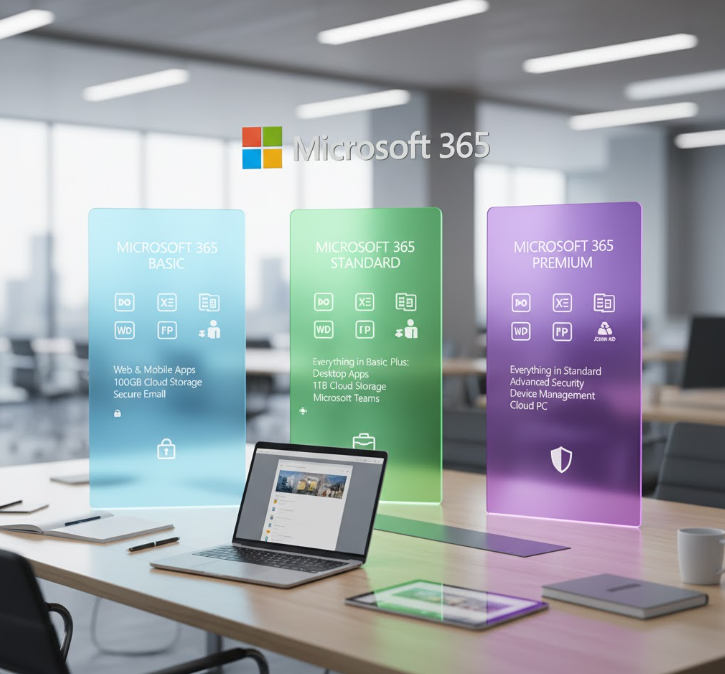
Choose the right Microsoft 365 plan for your needs.
🏢 Introduction: What is Microsoft 365 and Why It Matters
In today’s digital world, productivity left to traditional desktop software feels a bit like using a paper map in a smartphone era. Enter Microsoft 365—a cloud-powered subscription service by Microsoft that brings familiar apps like Word, Excel and PowerPoint together with cloud storage, collaboration tools, and continual updates. For both individuals and businesses, it’s not just buy-once-use-forever software—it’s a modern productivity platform.
Whether you’re a solopreneur working from a laptop, a home user managing family tasks, or part of a business team collaborating across locations, Microsoft 365 gives you access to:
- The latest versions of Office apps (desktop and web)
- OneDrive cloud storage to access your files from anywhere
- Collaboration and communication tools like Outlook Mail, Teams, SharePoint
- Continuous updates—no need to buy “Office 2024” every few years
In short: You subscribe, you get more than just apps—you get a connected productivity ecosystem.
📋 Main Subscription Tiers for Regular Users
Here’s a breakdown of some of the most common plans for everyday users (not large enterprise) and what they include—or don’t.
| Plan | What’s Included | Ideal For | Key Limitations |
|---|---|---|---|
| Microsoft 365 Personal | 1 user; install apps on multiple devices; 1 TB OneDrive; Word, Excel, PowerPoint + Outlook. | Individual who uses full Office & cloud storage. | Only for one user; certain advanced features may be reserved for higher tiers. |
| Microsoft 365 Family | Up to 6 users; each gets 1 TB OneDrive (up to 6 TB total); full apps on many devices; family-sharing. | Households, families who share devices and want value. | All users share one plan—if one person uses heavy features, others share budget. |
| Microsoft 365 Business Basic | Web/mobile versions only (no full desktop apps); 1 TB OneDrive; Exchange email; Teams; SharePoint. | Small businesses that mainly need cloud access & collaboration. | No full desktop Office apps; offline use may be limited. |
| Microsoft 365 Business Standard | Full desktop Office apps + web/mobile; 1 TB OneDrive; Teams/SharePoint; business email. | Businesses needing full Office suite + cloud productivity. | Does not include some of the advanced security/device-management of higher plans. |
| Microsoft 365 Business Premium | Everything in Standard + advanced security (device management, Intune, etc.). | Businesses that need full productivity + enterprise-level security. | Higher cost; may include features unnecessary for simple users. |
🔍 Key Feature Comparison: What You Get (and Miss)
✅ Full Office Apps
- Desktop versions of Word, Excel, PowerPoint are included in Personal, Family, Business Standard, Business Premium.
- In Business Basic, you only get web/mobile versions, which are fine but lack some features.
✅ Cloud Storage
- Most plans include at least 1 TB OneDrive per user. For Family, that means 6 TB total for six people.
✅ Collaboration Tools
- Email via Exchange, chat/video via Teams, file sharing with SharePoint/OneDrive—all available in business plans.
- For home/family plans, you still get OneDrive and Office apps; business-specific features vary.
✅ Security & Management
- Basic security like data encryption and automatic updates are included broadly.
- But features like device management, advanced identity controls, conditional access are only in Business Premium (or enterprise-level plans).
❌ What You Might Not Get
- Some entry-level plans won’t include offline/full desktop apps (web-only).
- Advanced compliance, analytics or big enterprise-scale features are outside standard home/business plans.
- One-time-purchase versions of Office (e.g., Office Home & Business) provide apps only for one PC/Mac and no continuous upgrades—so you miss cloud storage, continuous updates, collaboration features.
🎯 Which Plan Should You Choose?
If you’re a single user who uses Office apps (Word, Excel) and wants cloud access, the Personal plan is a compelling value—install on multiple devices, get 1 TB cloud storage, and always have up-to-date software.
If you’re a family or household, choose the Family plan so multiple users share the benefits economically.
If you run a small business, decide:
- If you just need web access and email + Teams → Business Basic.
- If you need full Office apps and collaboration → Business Standard.
- If you also need device/security management → go for Business Premium.
The key is to match what you actually use with what you pay for. Don’t over-buy advanced features you’ll never touch. And remember: continuous updates and cloud access often make subscriptions a better long-term value than buying a “one-time” version of Office.
📩 Ready to pick the perfect Microsoft 365 plan for you—or your business?
At Andi-Tech, we help you assess your needs, compare plans clearly, and implement the one that fits your workflow and budget.
📧 Contact us at info@andi-tech.com — let’s get your productivity platform configured—smartly and efficiently.